There are times during migrations, database restores etc that you will need to export and import your MySQL database. Below shows you the commands required to achieved this. Note : This article is meant as a reference point rather then a full blown article. Export mysqldump -u root -p {database} > db.sql Import mysql -u … Read more
INTRODUCTION reference to field types – http://www.ibm.com/developerworks/library/os-django-mongo/ INSTALL MONGO CONFIGURE DJANGO http://staltz.github.io/djangoconfi-mongoengine/#/9 — install — pip install mongoengine — configure django — set settings to dummy mongoengine django – diff version yum install mongo new version install mongo etc into virtual env stop service
Issue How do you install g++ via Yum ? You may also be asking this due to receiving the following error when trying to compile from source, make[1]: g++: Command not found Solution To install g++ via yum run the command, yum install gcc-c++
Within this article we will show you how to compile node.js, version 0.10.25. Note : This article is meant as a quick, and short guide rather then full blown tutorial. Install Dependencies yum install bzip2 gcc gcc-c++ sqlite sqlite-devel Download wget http://nodejs.org/dist/v0.10.25/node-v0.10.25.tar.gz Extract tar xvfz node-v0.10.25.tar.gz cd node-v0.10.25 Compile ./configure make make install
Issue Within the vSphere client or vCentre your virtual machine(s) are named as ‘Unknown VM’ and are inaccessible. Solution This can be caused by connectivity issues between the hypervisor and its datastore. To resolve the issue follow these steps, Log into the virtual machines host via SSH. Then change directory via the command ‘cd /var/lib/vmware/hostd/stats‘. … Read more
History The sticky bit was first introduced in 1974 within the UNIX operating system. Its purpose was to instruct the operating system to place the process into swap once completed. Thus reducing the startup time of the process during further executions. However nowdays this usage is obsolete. Usage Instead, the sticky bit is now set … Read more
In this extremely short article we will provide you with the steps required to make the width of a single TAB only 4 spaces wide. This especially useful when using Visual Mode within VIM , in that you can indent large portions of text. Steps Within your ~/.vimrc file add the following lines. set shiftwidth=4 … Read more
Issue When using scp to copy a file the file fails to transfer, however there is no error message. Solution This issue can occur due echo commands within your .bashrc and how the scp program handles the output from these commands. This is a known bug within scp which can be viewed here. To resolve this … Read more
For years, I had ran my Prolific USB to Serial cable from my Windows 32bit laptop without any issues. Unfortunately, life when running Windows is never easy. After upgrading Windows 7 to 64bit I tried to install the drivers from CNET downloads. This was a HUGE mistake. Even though the CNET downloader told me it … Read more
You may find that when listing directories within the shell and when using a black background that the directory names aren’t clearly readable. To resolve this issue the following command and then log back in. This command will issue a find and replace against the color setting (for directory listings) within the necessary configuration file. … Read more
Recently I started having some issues with the Cisco VPN client window not coming to the foreground. After some digging I found the solution. Windows 7 Hold the Alt key, press Tab key until the VPN Client window is highlighted. Release Alt. Hold the Windows key and press the right arrow key once. This should … Read more
I’m sure that we have all done it. Yep, that’s right you’ve forgotten the MySQL root password. Fear not my fellow conrade, with a few simple simple commands you will be back in control. Stop MySQL First of all stop MySQL. /etc/init.d/mysqld stop Connect to MySQL Next instruct MySQL to ignore the GRANT Tables. Then … Read more
After finding this amazing shortcut the other day I thought it worth sharing. To ignore a conversation (which moves them to the deleted items) use the shortcut <CTRL+DEL>. Further details can be found here http://office.microsoft.com/en-gb/outlook-help/ignore-all-email-messages-in-a-conversation-HA010361232.aspx
Issue When requesting a certificate via the browser, at the point you try to issue the certificate (via certsrv.msc) you receive the error: Error Constructing or Publishing Certificate When looking through the Events for Active Directoty Certificate Services you see the error: Active Directory Certificate Services denied request 8 because The request subject name is … Read more
Within this article we will show you how to configure Apache to serve your content over a SSL based connection using a self signed certificate. Generate Certificate/Key First of all we generate a self signed certificate using openssl. This will create 2 files, a public certificate and a private key. mkdir -p /opt/ssl/crt/cd /opt/ssl/crt/openssl req … Read more
Within this article we will looking at the steps required to tab multiple lines within VI.This feature is great for ensuring readability, when editing indent based languages such as Python or just programming in general. Steps Press “<SHIFT> + v” to enter VISUAL LINE mode. Select the text you wish to indent but using either … Read more
The Umask (User Mask) is a UNIX function that is used to control the permission bitmask applied to newly created files and folders.The Umask value is subtracted from the default permission value. The resulting value is then assigned as the permission bitmask to the newly created file or folder. Note : The default permission values … Read more
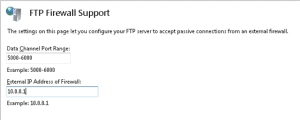
Within this article we will describe the required steps for defining a specific passive FTP port range within IIS 7. First of all permit the necessary ports through your edge firewall. Typically you will only need to allow FTP (rather then the data channel ports as well) as most firewalls include a FTP inspection engine … Read more
Below shows your the steps needed to clone a MySQL database. mysqladmin create [new db name] -u [username] –password=[password] && \mysqldump -u [username] —password=[password] [old db name] | mysql -u [username] –password=[password] -h [host] [new db name]
Want to learn more about Operating Systems and Databases?