You may find when trying to download a file from your FTP server using Internet Explorer 6 with “Folder View Enabled” when using Passive FTP the file download transfer will fail after a short time period. This can be down to Internet Explorer sending TCP packets with sequence numbers which are outside that of the … Read more
If you are unable to clear the VPN SA`s using the “vpn tu” command you may want to try using the following commands vpn shell /show/tunnels/ike/peer/[remote gw ip] vpn shell /show/tunnels/ipsec/peer/[remote gw ip] vpn shell /tunnels/delete/IKE/peer/[remote gw ip] vpn shell /tunnels/delete/IPsec/peer/[remote gw ip] The reason to this can be down to a number of issues … Read more
When trying to establish a VPN tunnel you may find that the tunnel is built but you receive the error message : encryption failure: According to the policy the packet should not have been decrypted This can be down to either : Overlapping encryption domains for that of the local and remote endpoints. The local … Read more
This article will provide the required troubleshooting steps for resolving the issue of the “Interface Active Check” error within ClusterXL. First of all you spot there is an error within ClusterXL using the following command, root@firewall # cphaprob stat Cluster Mode: Legacy High Availability (Active Up) Number Unique Address Assigned Load State 1 192.168.12.1 100% … Read more
A shared license lets you purchase a large number of SSL VPN sessions and share the sessions as needed amongst a group of security appliances by configuring one of the security appliances as a shared licensing server, and the rest as shared licensing participants.Below shows the steps on how to configure a Shared License server. … Read more
Issue When updating a Device from the NSM the Job Information dialog shows as successful. The Device Status shows as “In Sync” but the device does not show the new configuration, and an additional Delta Config Summerization shows that the NSM configuration is different to that of the device. Cause ScreenOS has a source/destination object … Read more
What is the Accelerated Security Path ? The Accelerated Security Path (ASP) on the ASA appliance comprises of 2 components; The Fast Path and The Session Management Path. In addition to the Accelerated Security Paths there is also the Control Plane Path which is also covered below. The Session Management Path When a new connection … Read more
Below are some basic guidelines for troubleshooting Check Point Logging issues. Please note : This guide does not cover issues with any OPSEC LEA based issues. Please note : The FWD (Firewall Daemon) is responsible for sending and receiving the Check Point Logs on port tcp/257. {loadposition content_lock} logs being sent to the manager … Read more
Below shows you the basic configuration on how to create a VLAN trunk on a Netscreen Firewall. A VLAN trunk is a term used to describe a collection of logical interfaces, each one being able to receive and de-capsulate VLAN tagged packets for its relevant VLAN. In this example our trunk will consist of 2 … Read more
In order to reset a Netscreen back to factory default you will need to first connect via the console connection. This is because you will lose IP connectivity once you reset the devices configuration. You will then need to obtain the devices serial number from either of the device itself or from the CLI, netscreen-> … Read more
In this example we will run through various steps to troubleshoot a Site 2 Site VPN. Confirm General Details This will give us a general overview of our vpn. netscreen(M)-> get vpn Name Gateway Mode RPlay 1st Proposal Monitor Use Cnt Interface ————— ————— —- —– ——————– ——- ——- ———- sitea_vpn sitea tunl Yes g2-esp-3des-sha … Read more
In this article we will show you how to set traffic policing on traffic which is tranversing a VPN. Please Note : The command usage has changed from 8.0.4 to 8.2.1. When matching on a tunnel-group and policing at the same time you will have to also configure the match flow ip destination-address command to … Read more
In this article I will be showing you how to configure a Site 2 Site VPN on a ASA.Also included within this example is a group-policy (named “GROUPPOLICY100”) which we restrict access between the 2 endpoints to just tcp/80 traffic. Please Note : This example presumes that you have already created the object groups for … Read more
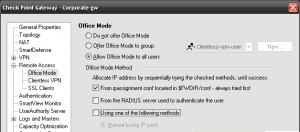
In order to assign individual IPs and ranges to certains remote access users, Check Point provides a configuration file allowing you to configure your gateway as required. This configuration file is : $FWDIR/conf/ipassignment.conf This article we will outline some of the possible gotcha`s and also run through the required steps. Within this example we will … Read more
Below is the list of all the commands (including the hidden commands) from a Netscreen NS5GT running ScreenOS 6.2. set fips-mode enable set fips-mode self-test afterkeygen set fips-mode self-test interval set key protection enable set all set vendor-def set envar set clock dst-off set clock dst recurring start-weekday last end-weekday last set clock dst recurring … Read more
Issue Within the Smartview Monitor you may find that the device status is shown as “Problem”. Within Smartview Monitor you are unable to find any further details for what is causing the issue. Troubleshooting Steps This article isn’t a solution to the issue but more of a pointer to a stepping stone on finding what … Read more
Issue The initial SYN packets from your client to your server are translated by your Firewall into ACK packets. This in turn prevents the initial 3 way handshake establishing. Below shows an example, Inbound 15:32:19.546115 I 10.1.1.1.12345 > 192.168.1.1.1111: S 2292544025:2292544025(0) win 49640 <mss 1460,nop,wscale 0,nop,nop,sackOK> (DF) 15:32:22.924625 I 10.1.1.1.12345 > 192.168.1.1.1111: S 2292544025:2292544025(0) win … Read more
The Open Shortest Path First (OSPF) routing protocol is an Interior Gateway rotocol (IGP) intended to operate within a single Autonomous System (AS). A router running OSPF distributes its state information (such as usable interfaces and neighbor reachability) by periodically flooding link-state advertisements (LSAs)throughout the AS. Enabling OSPF on a VR set vrouter trust-vr router-id … Read more
IPSO configuration sets allow you to change (or save) your systems complete current configuration. Allowing you to choose the required configuration (set) of your firewall with a few simple commands. This is useful for importing in configurations from other devices rather then setting up a box from scratch. Configuration Set directory The active configuration file … Read more
Routing Information Protocol (RIP) is a distance vector protocol used as an Interior Gateway Protocol (IGP) in moderate-sized autonomous systems (AS). Enabling RIP on a VR and an Interface set vrouter trust-vr router-id 10 set vrouter trust-vr protocol rip set vrouter trust-vr protocol rip enableset interface trust protocol rip enable Advertise the default route set … Read more