The other day I was reading about the benefits and new features within HTTP 2.0. One of the key features to HTTP2.0 is the ability to interleave (i.e multiplex) multiple requests and responses across a single TCP connection. Resulting in Domain Sharding being considered counterproductive. However, based on how Domain Sharding and HTTP Pipelining can … Read more
ovs-vsctl – utility to manage configuration state in ovsdb-server bridge management port management controller management failure mode management ovs-appctl – send commands to ovs-vswitchd ovs-dpctl – Tool to manage datapaths in the kernel directly. Direct management only reallu required when there is no ovs-vswitchd Mostly useful for inspecting kernel … Read more
What is AFM ? Introduced within 11.3, AFM (Advanced Firewall Manager) is a licensed module for the BIGIP appliance that provides stateful firewalling along with reporting and DoS protection. Within this article we will look at AFMs key components and also how it processes traffic. Contexts A context defines the scope of a firewall rule. … Read more
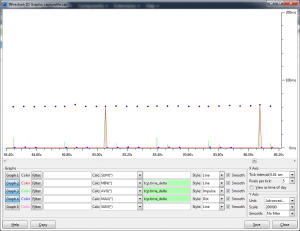
Wireshark provides the ability to calculate the amount of time between packets. This data can then be used within the IO graphing tool of Wireshark to create a visual representation which can be used when troubleshooting networking issues. Within this article we will show you how to create the TCP delta column, the TCP preferences … Read more
Introduction Caching is one of the key optimisation methods in HTTP. It can reduce both network overhead and page load times, resulting in an improved experience for the client. Within this article we will look the various headers and options available in both HTTP 1.0 and HTTP 1.1. HTTP 1.0 The caching mechanism within HTTP … Read more
Within this article we will show you the commands to show the status of the serial cable i.e whether it is connected without the need to physically check the device. Commands The follow commands shows the status that the failover daemon detects on the serial cable from its failover peer. Version Command 10.x b failover … Read more
Issue You may observe GTM Monitors failing with a message of ‘state: timeout’ within the logs messages. On further investigation you find that though the GTM is trying to build the connection (i.e sending the SYN), there is no response (SYN-ACK) from the destination. Resulting in the probe attempt failing. Reason The reason for this … Read more
In order to mitigate the Poodle vulnerability on the Brocade ADX SSLv3 must be disabled. However this can only be achieved via the code release 12.4s, which disables SSLv3 completely. All code versions prior to this do not have any method or option to disable the SSLv3 protocol. HealthChecks On the ADX there are 2 … Read more
Within this article we will provide you with the steps to upgrade an F5 LTM v10 box to v11. New Device Upgrade Below are the steps if you are going to be upgrading your v10 configuration onto a new device. These steps presume that you already have v11 running on your new device. Verify your … Read more
This cookbook is a collection of iRule tips, hints and solutions that I have discovered and found whilst writing and designing iRules across the years. Contents How do I split a URL and assign them to separate variables ? How do I perform DNS Lookups ? What is the easiest way to Rewrite the uri … Read more
One of the new features, within v11.x of the Traffic Management Operating System (TMOS) is Device Service Clustering (DSC). Over the previous HA (High Availability) features within v10.x, i.e active-standby, connection mirroring etc., DSC also provides the ability to perform, multi-node clustering, Active-Active (and Active-Standby) setup, greater granularity over which data is synchronized Scope Within … Read more
Issues When exporting a capture from the ADX from a debug filter. The wrong timestamps are written. This results in both the time and date being incorrect when viewing them within a 3rd Party tool (such as Wireshark). However when viewing the packets via an ASCII dump within the debug filter the correct timestamps are … Read more
Issue You may observe the GTM being unable to successfully establish a TCP connection when initaing a monitor probe to a given destination. Spefically, the GTM will send the SYN, but you notice the destination not responding with the SYN-ACK. There are 2 reasons that can cause this behaviour, Time-Wait Mismatch This occurs when the … Read more
Issue You may observe the GTM marking the monitor as down even though only a single probe failure has occurred and the timeout not been reached. Reason When configuring a monitor there are various conditions that are considered by the GTM as a down response. This means that the GTM will mark the monitor as … Read more
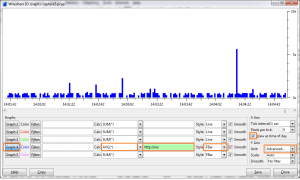
Wireshark offers a huge range of features, allowing you to display the data and results captured at the packet level. This article will show you how to graph the HTTP response times of your capture. i.e the time taken to receive the HTTP response once the HTTP request has been Acknowledged. Steps Goto ‘Statistics’ / … Read more
Within this article we will show you how to create a firewall policy for a Brocade Vyatta router. Firewalls policies are created much like any other device, using a combination such source IP , destination IP etc etc. Once created it is then applied to an interface. Group Types There are 3 types of groups they are … Read more
Issue When using the WebUI you may experience random disconnects.. Solution This is due to a bug VSE-7850. This is fixed within 6.6R4. The other work around is to disable the WebUI and make all configuration changes via the CLI.
Introduction There are 2 main methods for configuring the TCP stack on an ADX, globally or via a tcp profile. Within this article we will look at the main configuration settings available, such as how to configure Nagle, SACK and Window Scaling. TCP Profiles TCP profiles allow you to modify the TCP parameters on a … Read more
Within v11.x of LTM/GTM BigIP certificates are located within a folder called ‘certificate_d’ under the necessary partition folder. i.e /config/filestore/files_d/Common_d/certificate_d By default everything is placed within the common partition folder ‘Common_d’. Below shows an example root@gtm:Active:Standalone] # ls -l /config/filestore/files_d/Common_d/certificate_d total 32 lrwxrwxrwx 1 root root 33 Sep 30 02:52 :Common:ca-bundle.crt_1 -> /config/ssl/ssl.crt/ca-bundle.crt lrwxrwxrwx 1 … Read more